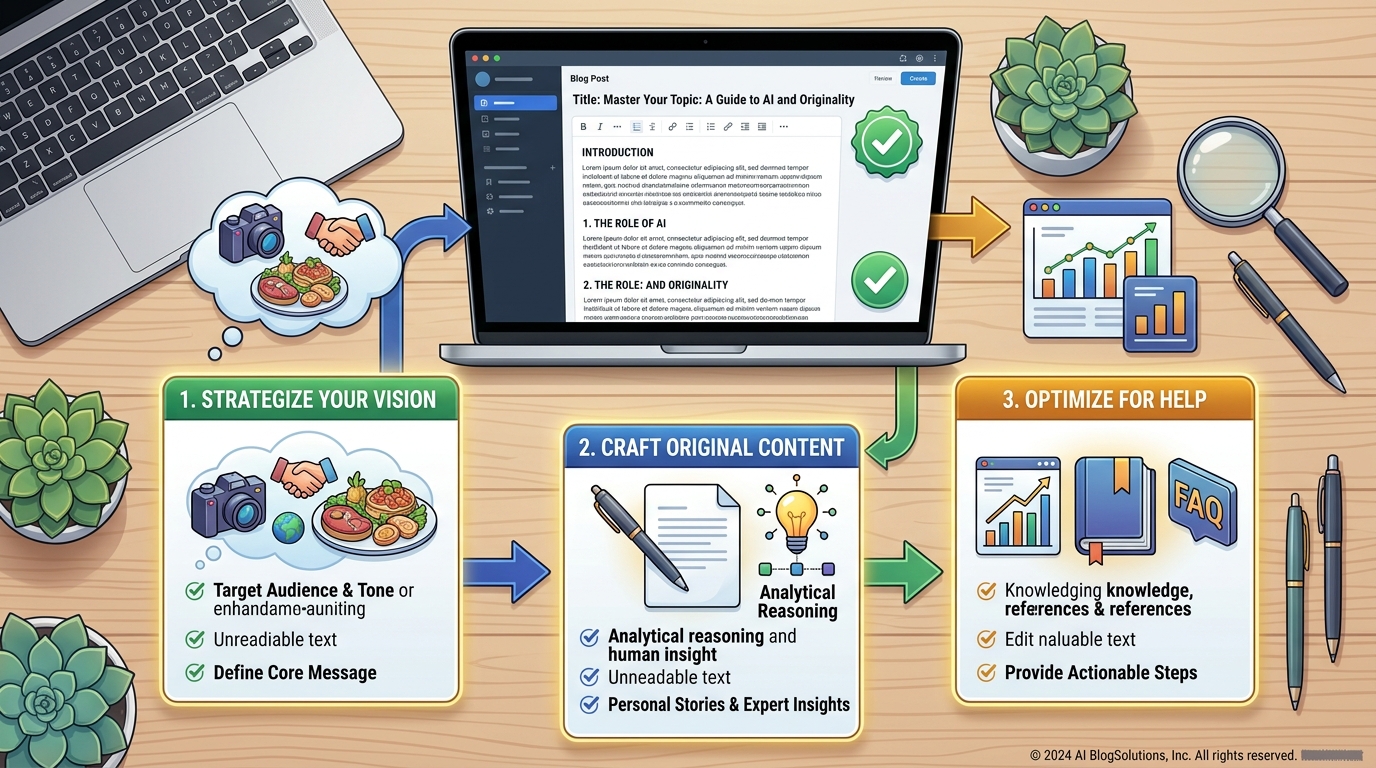

AI can help you write blog posts faster, but publishing raw AI text is risky. Readers want real help, and search engines want original, useful pages. The goal is not to let AI write for you. The goal is to use AI as an assistant while you add experience, accuracy and your own voice.
This guide shows a simple step-by-step workflow you can use for every article.

Why Quality Matters More Than Speed
Google has said that it focuses on the quality and helpfulness of content rather than how it was produced. Pages that are made only to fill space, repeat other sites or add no value can perform poorly. A smaller number of genuinely helpful articles is better than many thin ones.
The 7-Step Workflow
Step 1: Choose a clear topic and reader
Decide who the article is for and what problem it solves. Example: "How to change a WordPress theme safely" for beginners.
Step 2: Ask AI for an outline
Request headings and questions readers may have. Remove anything irrelevant and add points from your own knowledge.
Step 3: Research from trusted sources
Use official websites and documentation to confirm facts. Do not rely on the AI for statistics, prices or quotes.
Step 4: Draft section by section
Ask for a draft of one section at a time, giving context such as audience, tone and length. This gives better control than asking for a full article at once.
Step 5: Add your experience
Add real examples, screenshots, mistakes you have made and practical tips. Only describe things you have actually done or seen. This is what makes your article different.
Step 6: Edit for your voice
Shorten long sentences, remove filler and replace generic phrases with specific details.
Step 7: Fact-check and optimize
Verify every claim, then add a clear title, meta description, headings and descriptive image alt text.

Useful Prompt Examples
- Outline: "Create an outline for a beginner-friendly article about [topic]. List the questions a reader would ask."
- Simplify: "Explain [concept] in simple words for someone with no technical background."
- Improve: "Edit this paragraph to be clearer and shorter. Keep my meaning and tone."
- Headlines: "Suggest 10 clear title ideas for this article. Avoid clickbait."
- Review: "Point out any unclear or unsupported claims in this draft."
What AI Does Well vs. What You Should Do
| Task | AI Can Help | Human Should Do |
|---|---|---|
| Brainstorming topics | Yes | Pick topics that match your audience |
| Outlines | Yes | Adjust to real reader needs |
| First drafts | Yes | Rewrite and add experience |
| Facts and numbers | Not reliable alone | Verify from official sources |
| Screenshots and examples | No | Create from real use |
| Final approval | No | Always you |
Pros and Cons of Writing With AI
Pros
- Saves time on outlines and drafts
- Helps beat writer's block
- Improves grammar and clarity
Cons
- Can produce generic or repeated content
- May include incorrect facts
- Needs real editing to add value
Pre-Publish Checklist
- Does the article solve a clear problem for the reader?
- Have I checked every fact, price and name?
- Did I add my own examples or experience?
- Is the text edited into my own voice?
- Do images have useful alt text?
- Are the title and meta description clear and honest?
- Have I avoided copying text from other websites?
Frequently Asked Questions
Is it okay to use AI for blog posts?
Yes, as a writing assistant. Review, edit and add real value so the article is accurate and genuinely helpful.
Will AI-written content rank on Google?
No one can guarantee rankings. Helpful, accurate and original content has the best chance, no matter which tools you use.
How much should I edit AI text?
Enough that the article reflects your knowledge, voice and verified facts. Light edits to raw output are usually not enough.
Can AI help with SEO?
It can suggest keywords, titles and meta descriptions, but you should still check them against what readers actually search for.
Final Thoughts
AI can make writing faster, but trust is built by accuracy and real experience. Use AI for structure and drafts, and use your own judgment for everything that matters.