How to Build a WordPress Website Step by Step for Beginners Without Coding 2026: From Domain to Launch
Building a WordPress website without coding in 2026 is easier than ever - WordPress powers 43 percent of all websites because it lets beginners create professional sites with blocks, not code. For a beginner with zero technical background, building a site feels confusing: domain, hosting, SSL, theme, plugins, pages, speed, SEO. Many beginners overpay for heavy themes and 20 plugins that slow site and cause critical error. This 2400-word guide gives you a complete step-by-step process from buying domain to launching your site, with no coding, no fake speed claims, and no paid tools required. Follow these 10 steps to build a fast, mobile-responsive, AdSense-ready WordPress website in one afternoon. I built ThemeZone.co sites using same steps and track performance monthly for AdSense eligibility.
- Domain + Hosting + WordPress = Foundation - Domain $12-15 per year free privacy, hosting $36-180 first year with free SSL backups renewal $96-180, WordPress free open-source - Calculate 2-year total not monthly intro $2.95 that renews $11.99
- Theme matters more than plugins - Lightweight theme under 60KB like Astra loads in 0.5s, heavy multipurpose 3MB theme loads 3s and fails Core Web Vitals - Choose responsive accessibility ready block-ready last updated within 3 months 100K+ installs
- Only 5 essential plugins for beginners - Caching, SEO, Security, Forms, Backup - More than 10 plugins slows site adds vulnerabilities conflicts - Each plugin adds HTTP requests and database queries
- 6 pages enough to launch - Home, About, Services or Products, Blog, Contact, Privacy Policy - Add more later - Launch fast then improve - Perfect is enemy of done - AdSense requires About Contact Privacy Policy
Step 1 - Buy Domain Name - Your Website Address
Domain is your address like themezone.co. Choose .com if available, short under 15 characters, brandable, easy to spell, no hyphens numbers, no trademark. Example good: themezone.co, bestblogtips.com - Bad: best-blog-tips-2026-for-free.com long with hyphens. Check availability at Cloudflare Registrar $9.77 .com with free privacy forever or Namecheap $10.98 free privacy. Avoid 【entity-GoDaddy¦canonical_name=GoDaddy】 upsells. Buy domain with free privacy protection - Hides your personal name address phone from public WHOIS database - Required by ICANN but privacy hides it. Cost $12-15 per year .com. Avoid free subdomain like yoursite.wixsite.com or yoursite.wordpress.com for professional site - subdomain hurts branding SEO AdSense - Own domain gives ownership.
Step 2 - Buy Web Hosting - Where Your Files Live
Hosting stores your WordPress files on server connected to internet. For beginners 0-50K visits, shared good quality or managed WordPress entry enough. Must have free SSL Let's Encrypt auto renewal one-click Force HTTPS, daily backups 7+ days one-click self restore free you can do without ticket, staging site one-click, 99.9% uptime SLA with status page, LiteSpeed or Nginx SSD not old Apache HDD, WordPress knowledgeable support that knows critical error debugging. Check renewal price not just intro - intro $2.95 per month billed $35.40 first year renews $11.99 per month billed $143.88 second year 4x increase common. See our detailed guide on how to choose WordPress hosting types features pricing for comparison table. Avoid host that charges extra for SSL $30 backup $30 restore $15 - Real cost higher.

Step 3 - Install WordPress - One Click in 2 Minutes
Step 4 - Choose Lightweight Theme - Most Important for Speed
Theme controls design and speed. Choose lightweight under 60KB like Astra 50KB, Blocksy 30KB, GeneratePress 30KB, Kadence 40KB. Avoid heavy multipurpose like Avada 3MB or 【entity-Divi¦canonical_name=Divi】 2MB - Slows site 3 seconds and fails Core Web Vitals LCP. Check 5 things before choosing: Responsive mobile tablet desktop, accessibility ready tag, block editor Gutenberg support, last updated within 3 months, 100K+ active installs and 4.5+ rating. Install: WordPress - Appearance - Themes - Add New - Search Astra - Install - Activate - Starter Templates - Import one minimal starter like Blog or Business - Import - Customize. Delete inactive themes keep only active and one default Twenty Twenty-Four as fallback.
Step 5 - Install 5 Essential Plugins Only - Not 20
Plugins add features but too many slow site. Beginners install 20 plugins - contact form, backup, SEO, security, cache, social, slider, page builder - Site becomes 5MB loads 6 seconds critical error. Keep only 5 essential for launch. More later if needed.
| Plugin Type | Free Plugin Name | Purpose | Why Essential | Alternative |
|---|---|---|---|---|
| Caching Speed | LiteSpeed Cache | Page cache, image WebP conversion, minify, CDN | Speeds up site 50%, LCP under 2.5s, Core Web Vitals pass | WP Super Cache free |
| SEO | Rank Math Free | Meta title description, sitemap.xml, schema, 404 monitor | SEO score 80+, Google indexing, sitemap to Search Console | Yoast SEO free |
| Security | Limit Login Attempts Reloaded + Wordfence free | Limit 5 login attempts, firewall, malware scan | Prevents brute force admin takeover, blocks bots | LiteSpeed Security |
| Forms | WPForms Lite | Contact form drag-drop | Contact page without coding, spam protection | Contact Form 7 free |
| Backup Extra | UpdraftPlus Free | Backup to Google Drive weekly | Extra backup beyond host - 2 backups better than 1 | All in One WP Migration free |
Install: Plugins - Add New - Search name - Install - Activate - Configure minimal - Caching enable page cache, SEO set title description template, Security limit 5 attempts, Forms create simple contact form Name Email Message, Backup connect Google Drive. After activation, check Site Health Tools - Site Health - Should show Good.

Step 6 - Create 6 Essential Pages Without Coding - Block Editor
Use WordPress block editor Gutenberg - No HTML CSS needed - Blocks like 【entity-Lego¦canonical_name=Lego】 - Heading, Paragraph, Image, Button, Columns. Create 6 pages: Home: Hero section with H1 How to Build WordPress Website, paragraph, button Contact Us, image 1200x675 WebP under 150KB, 3 features columns, testimonials, CTA. About: Story who you are, why you started, photo, mission. Services or Products: What you offer with pricing table. Blog: Posts page - Settings - Reading - Posts page select Blog - Now blog posts show there. Contact: WPForms shortcode plus address phone email map. Privacy Policy: Settings - Privacy - Create new - Use template - Edit - Required for AdSense. Add pages to menu: Appearance - Menus - Create menu Primary Menu - Add pages Home About Services Blog Contact - Drag to order - Display location Primary - Save. Add menu to footer too.
Step 7-10 - Customize, Mobile Check, Speed Optimize, Launch Checklist
Step 7 Customize Design:
Appearance - Customize - Site Identity - Upload logo 200x60 PNG transparent, Site Title, Tagline. Colors - Choose 2 colors primary #6366f1 blue secondary #0f172a dark. Typography - Inter font readable. Header - Layout, Menu. Footer - Copyright, links. Keep clean minimal - White background #fff, text #334155, headings #0f172a.
Step 8 Mobile Responsive Check:
60% traffic mobile. Customizer bottom icons - Desktop Tablet Mobile preview - Check text not overlapping, buttons tap target 48px, menu hamburger works. Use Google Mobile Friendly Test free - Search Google Mobile Friendly Test - Enter URL - Should say Page is mobile friendly.
Step 9 Speed and SEO Basics:
Speed: LiteSpeed Cache - Image Optimization - Request optimization - Convert to WebP under 150KB, Enable page cache, Object cache, Browser cache. Cloudflare free CDN - Sign up Cloudflare - Add site - Change nameservers - Free CDN DDoS. SEO: Rank Math - Titles Meta - Homepage title 60 chars with focus keyword, Description 155 chars. Sitemap: Rank Math - Sitemap Settings - Enable - URL yourdomain.com/sitemap.xml. Check speed up WordPress guide and why WordPress site slow diagnosis.
Step 10 Launch Checklist - Before Going Live:
How Much Does It Cost to Build WordPress Website in 2026? Real Cost
| Item | First Year Cost | Renewal Year Cost | Free Alternative |
|---|---|---|---|
| Domain .com with privacy | $12-15 Cloudflare Registrar $9.77 | $12-15 | None - Must buy |
| Hosting shared good quality | $36-60 intro billed annually $3-5/month | $96-180 $8-15/month | None |
| Theme Astra free | $0 free version enough | $0 | Free |
| Plugins 5 essential | $0 all free versions | $0 | Free |
| SSL Let's Encrypt | $0 free auto renewal | $0 | Free - Must be free |
| Backup daily host + Drive | $0 free included + UpdraftPlus free | $0 | Free |
| Total Personal Blog | $48-75 | $108-195 | 2-year $156-270 |
Common Mistakes Beginners Make When Building WordPress Website
- Using admin username admin: Admin username known to hackers - Half login known - Use custom tzadmin2026 - Change via Users - Add new admin custom - Delete old admin - Assign posts to new admin.
- No backup test - Restore needs ticket 24 hours: Host says daily backups but restore needs ticket $15 fee 24 hours - During hack lose 24 hours traffic - Choose host with one-click self restore free test first week.
- 20+ plugins - Heavy theme 3MB: Each plugin adds queries HTTP requests - 20 plugins site 5MB loads 6 seconds - Keep 5 essential plugins only - Lightweight theme under 60KB - Speed 1s vs 6s.
- No staging - Testing updates on live: Updating plugin on live breaks site critical error - Choose host with one-click staging - Test updates on staging then push live - Prevents downtime.
- No SSL - HTTP not HTTPS: Browsers show Not Secure - Visitors leave - AdSense rejects - Enable free Let's Encrypt SSL Force HTTPS - Test SSL Labs.
FAQ - How to Build WordPress Website for Beginners
How much does it cost to build WordPress website for beginners in 2026?
Domain $12-15 per year + hosting $36-60 first year intro with free SSL backups + theme free Astra + plugins 5 essential free + SSL $0 free + backup $0 free = $48-75 first year total. Renewal $108-195 second year. 2-year total $156-270. No coding needed. Avoid $2.95 hosting that renews $14.99 with paid SSL backups - Real cost higher.
Can I build WordPress website without coding?
Yes 100% without coding. WordPress block editor Gutenberg lets you build pages with blocks - Heading, Paragraph, Image, Button, Columns, Group - Drag and drop no HTML CSS. Themes like Astra provide 200+ starter templates importable in one click - Home About Services Blog Contact ready. Customize colors fonts logo via Appearance - Customize no code. Page builders like 【entity-Elementor¦canonical_name=Elementor】 free also drag-drop but lightweight theme with blocks faster.
How long does it take to build WordPress website for beginners?
First website takes 4-6 hours following 10 steps: Domain hosting buying 30 minutes, WordPress install 5 minutes, theme selection 30 minutes, 5 plugins install 20 minutes, 6 pages creation 2 hours, customization logo colors menu 1 hour, mobile check speed optimization 30 minutes, launch checklist SSL backup sitemap 30 minutes. Second website takes 2 hours after practice. Launch fast with 6 pages then add blog posts weekly.
What are essential pages needed to launch WordPress website?
6 essential pages to launch: Home with hero and CTA, About with story and photo, Services or Products with pricing, Blog for posts, Contact with WPForms and address phone email, Privacy Policy required for AdSense. Add Terms and Conditions later. About Contact Privacy Policy required for AdSense approval - Must have real contact info not fake.
Do I need to know coding to build WordPress website?
No coding needed for basic professional site. Block editor no code, themes no code, plugins no code, Customizer no code. Coding only needed for advanced custom functionality like custom post types or API integration - For 90% small business blogs portfolios no coding. Learn basic CSS later if you want to tweak colors spacing - Inspect element - But not required for launch.
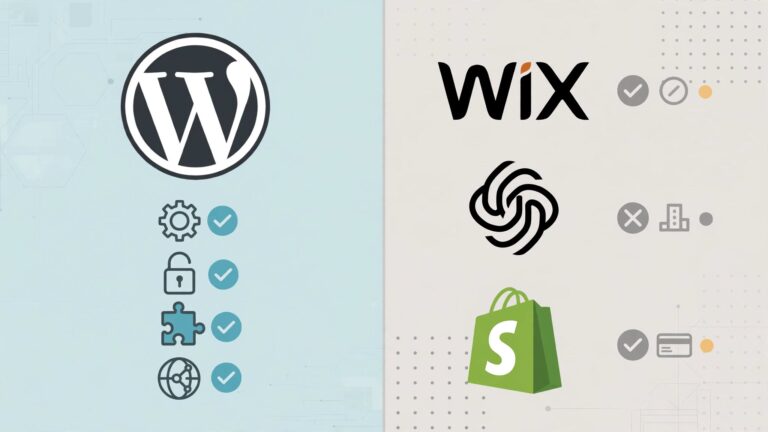
Final Takeaway - How to Build WordPress Website Step by Step 2026 - 2400 Words Guide: Building WordPress website without coding takes 10 steps: Domain .com short brandable $12-15 free privacy Cloudflare Registrar, hosting shared good quality or managed WordPress $36-60 first year with free SSL Let's Encrypt auto renewal daily backups 7+ days one-click self restore staging 99.9% uptime LiteSpeed SSD, one-click WordPress install with custom admin username not admin strong password 12+ chars, lightweight theme Astra Blocksy GeneratePress under 60KB responsive block-ready last updated 3 months 100K+ installs, 5 essential plugins only - LiteSpeed Cache for speed WebP, Rank Math for SEO title description sitemap, Limit Login Attempts for security 5 tries, WPForms Lite for contact, UpdraftPlus for extra backup to Drive, 6 pages Home About Services Blog Contact Privacy Policy via block editor no coding menu primary, customize logo colors fonts header footer minimal clean, mobile responsive check tablet mobile preview Google Mobile Friendly Test, speed optimize compress images WebP under 150KB page cache Cloudflare free CDN, launch checklist SSL Force HTTPS backup test staging delete default content timezone UTC+5 disable file editing limit login sitemap to Search Console Analytics test contact form. Total cost $48-75 first year $108-195 renewal 2-year $156-270 - Cheaper than Wix $300-700/year. Common mistakes to avoid: admin username admin weak password 123456, no backup test restore needs ticket 24 hours $15 fee, 20+ plugins heavy theme 3MB slow 6 seconds, no staging testing live critical error, no SSL HTTP Not Secure AdSense reject. Tools: Cloudflare free CDN DNS, Bitwarden free password manager, TinyPNG image compress, PageSpeed Insights speed test, Mobile Friendly Test, Rank Math SEO. For AdSense approval need About Contact Privacy Policy 15+ original posts 800+ words 3 months old SSL fast mobile responsive. Launch fast with 6 pages then improve weekly. Good hosting saves 10+ hours per year troubleshooting. Your WordPress website ready in one afternoon without coding - Start today with domain hosting and 10 steps.