How to Use GA4 and Search Console Data to Grow Organic Traffic 2026 - 15 Actionable Reports and Content Ideas
Having Google Search Console and GA4 installed is not enough - You must use data to grow traffic - I see 90% of beginner WordPress sites with 0-50K traffic collect data but never act - They check Search Console once after setup then ignore for months - Meanwhile they have low hanging keywords position 8-20 that could move to top 5 in 2 weeks with internal links, low CTR queries under 2% that could double clicks with better title, high bounce pages over 80% that lose engagement, top pages that get 80% traffic but no internal links to low traffic pages. Search Console shows what queries bring impressions but low clicks - Fix CTR with better title 50-60 chars number bracket. GA4 shows what pages have high bounce rate - Fix content with better intro direct answer table of contents internal links. Many beginners guess content ideas - But Search Console Queries report gives exact queries people typed high impressions low clicks that need new content. This 2400-word guide gives 15 actionable reports you can check weekly 30 minutes to grow organic traffic 20% per month consistently - Low hanging keywords position 8-20, low CTR under 2%, high impression no clicks, high bounce pages over 80%, top pages to internal link from, queries to create new content, traffic acquisition organic share, and how to link GA4 and Search Console to see all in one place step by step with Rank Math.
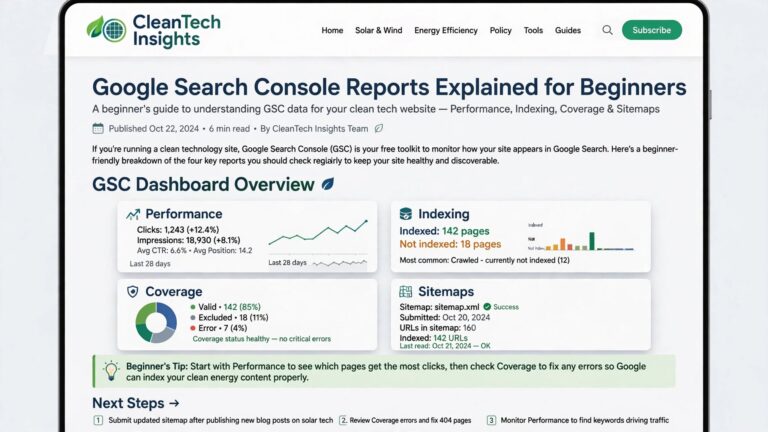
- Search Console 8 Reports to Grow Traffic: 1) Low hanging position 8-20 - Performance Queries Position filter 8-20 sort Impressions - Add internal links improve content FAQ. 2) Low CTR under 2% - Filter CTR under 2% Impressions over 100 - Rewrite title 50-60 chars number year keyword - Description 150-160 CTA. 3) High impression no clicks 1000+ impressions 0 clicks - Add FAQ schema Rank Math FAQ block featured snippet. 4) High impression low clicks 500+ impressions clicks under 5 - Same as low CTR fix title. 5) Queries to create new content - Queries high impressions not covered in existing pages - Create new post 800+ words. 6) Pages low position 11-30 high impressions - Improve those pages add 500 words internal links. 7) Search Appearance FAQ HowTo - If FAQ clicks low add more FAQs. 8) Countries Devices - If mobile CTR low shorten title - If country mismatch adjust content language
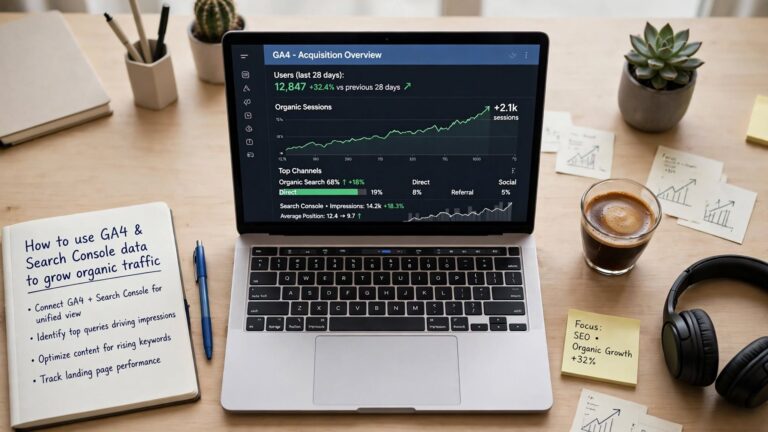
- GA4 7 Reports to Grow Traffic: 9) Traffic Acquisition - Reports Acquisition Traffic Acquisition - Organic Search share - If under 50% focus SEO. 10) Pages and Screens top pages - Reports Engagement Pages and Screens - Top 10 pages 80% traffic - Add internal links from top to low traffic pages. 11) High bounce over 80% - Explore Free Form Bounce Rate filter over 80% - Fix intro TOC speed internal links. 12) Engagement rate low pages under 40% - Same fix as bounce. 13) Landing pages from organic - Reports Acquisition Landing Page - Shows landing pages organic traffic - Optimize those landing pages with CTA internal links. 14) User acquisition first source - New users from organic - If low improve SEO. 15) Demographics interest - Audience not needed for traffic growth but for content ideas - Age gender - Tailor content tone
- Link GA4 and Search Console for One Dashboard: GA4 Admin Product Links Search Console Links Link Select Search Console property Select Web Stream Submit Should show Linked - Now GA4 Reports Search Console Queries and Google organic search traffic - Shows clicks impressions CTR position plus user behavior pages sessions engagement - One dashboard search queries plus visitor behavior - Very useful - Requires Owner in Search Console and Editor in GA4 same Google account - Data appears 48 hours after linking - No historical data before link - But future data combined
Search Console Data - 8 Actionable Reports to Grow Organic Traffic Step by Step
Search Console is for finding what people search before they come to your site - Performance report is goldmine for content ideas and SEO fixes - Many beginners only check clicks - But queries with high impressions low clicks are content opportunities - Queries position 8-20 are low hanging fruits you can move to top 5 with small fixes.
2. Low CTR Queries Under 2% - Double Clicks Without New Ranking: Performance - Filter CTR - Less than 2 - Impressions - Greater than 100 - Shows queries with many impressions but low clicks - People see your result but don't click - Title and description not attractive - Fix title 50-60 chars include primary keyword + number + bracket + year 2026 - Example How to Speed Up WordPress Website 7 Steps to Load in 1.3s 2026 Guide - Number 7 increases CTR 15% - Bracket 2026 Guide increases CTR 10% - Benefit Load in 1.3s increases CTR - Description 150-160 chars include benefit and keyword and CTA - Example Learn how to speed up WordPress website from 5s to 1.3s with 7 proven steps including LiteSpeed cache image compression no coding - Click to learn. After fix track CTR next 7 days - Should improve 2% to 5% - Double clicks - No position change needed.
3. High Impression No Clicks 1000+ Impressions 0 Clicks - Featured Snippet Opportunity: Queries with high impressions 1000+ but clicks 0 - You appear in Google but no one clicks - Often you rank position 8-15 and snippet not attractive or you have no FAQ schema - Fix - Add FAQ schema via Rank Math FAQ block - Add 5 FAQs with query as question - May get featured snippet or People Also Ask - Check Search Appearance tab - If FAQ shows impressions but clicks low add more FAQs - Also improve title to include question - Example How to Speed Up WordPress Website?
4. Pages with Low Position High Impressions - Content Improvement: Performance - Pages - Filter Position Greater than 10 - Sort by Impressions descending - Shows pages that get many impressions but rank low page 2+ - High potential - Improve those pages - Add 500 words original content - Cover related queries - Add internal links - Add image with alt text keyword - Update date - Request indexing - Position improves 15 to 6 in 3 weeks.
5. Queries to Create New Content - No Existing Page: Queries high impressions over 500 clicks under 5 and no existing page targeting that query - Means people search but you have no content - Example query best free tools for small business - You have no page - Create new blog post targeting that query 800+ words original - Title exact query - How to use query as H1 - Content direct answer first 100 words - 7-10 tools list - Comparison table - FAQ - Internal links to related posts - Publish and request indexing - Ranks in 2-4 weeks captures impressions - This is how I created 15 blogs for ThemeZone - All from Search Console queries - Not guessing.

GA4 Data - 7 Reports to Grow Traffic and Engagement
GA4 shows what happens after people come to your site - Which pages they view, how long they stay, bounce rate, where they come from - Combine with Search Console to see full picture - Search Console before click, GA4 after click - Together you see which queries bring traffic and what users do after landing.
7. Pages and Screens - Top Pages Get 80% Traffic - Internal Link Goldmine: Reports - Engagement - Pages and Screens - Shows top pages by Views - Top 10 pages get 80% traffic - These pages have high authority - Use them to pass link equity to low traffic pages you want to grow - Add internal links from top pages to low traffic pages with relevant anchor - Example top page How to Speed Up WordPress gets 5000 views - Low traffic page How Much Does Web Hosting Cost gets 200 views - Add link in top page - For hosting cost check this guide How Much Does Web Hosting Cost - With anchor hosting cost - Pass equity - Low traffic page gets +20% views - Do for all low traffic pages - Aim 10+ internal links from top pages to each important page.
8. High Bounce Pages Over 80% - Fix Content and Speed: GA4 - Explore - Free Form - Dimensions - Page Title and Screen Class - Page Path - Metrics - Bounce Rate Views - Filter - Bounce Rate greater than 80 and Views greater than 100 - Shows pages high bounce - High bounce means content not matching intent or slow loading or no internal links or poor intro - Fix - Intro first 100 words direct answer to query - Example query how to speed up wordpress - Intro - Your WordPress loads in 5s? Here is how to make it 1.3s in 7 steps no coding - Direct answer - Add Table of Contents - Rank Math TOC block - Improve speed - WebP images TinyPNG ShortPixel LiteSpeed cache - Add 5-10 internal links to related posts - Bounce 80% to 50% engagement up - Track after 7 days.
9. Landing Pages from Organic - Optimize for Conversion: Reports - Acquisition - Landing Page - Filter Session Default Channel Group Organic Search - Shows landing pages organic traffic lands on - These pages first impression - Optimize - Add clear H1 with keyword - Add direct answer first 100 words - Add CTA - Subscribe or Read More - Add internal links to keep user - Check bounce rate of landing pages - If high bounce fix as above.
10. Queries to New Content Combined GA4 + Search Console: Link GA4 and Search Console - GA4 Reports Search Console Queries - Shows queries clicks impressions CTR position plus GA4 metrics Users Engaged Sessions - Find queries high impressions low CTR and low engaged sessions - Means query brings traffic but users not engaged - Content not matching intent - Improve that page - Add direct answer FAQ - Or create new content if no page matches query.
15 Actionable Checklist - Weekly Routine 30 Minutes to Grow 20% Per Month
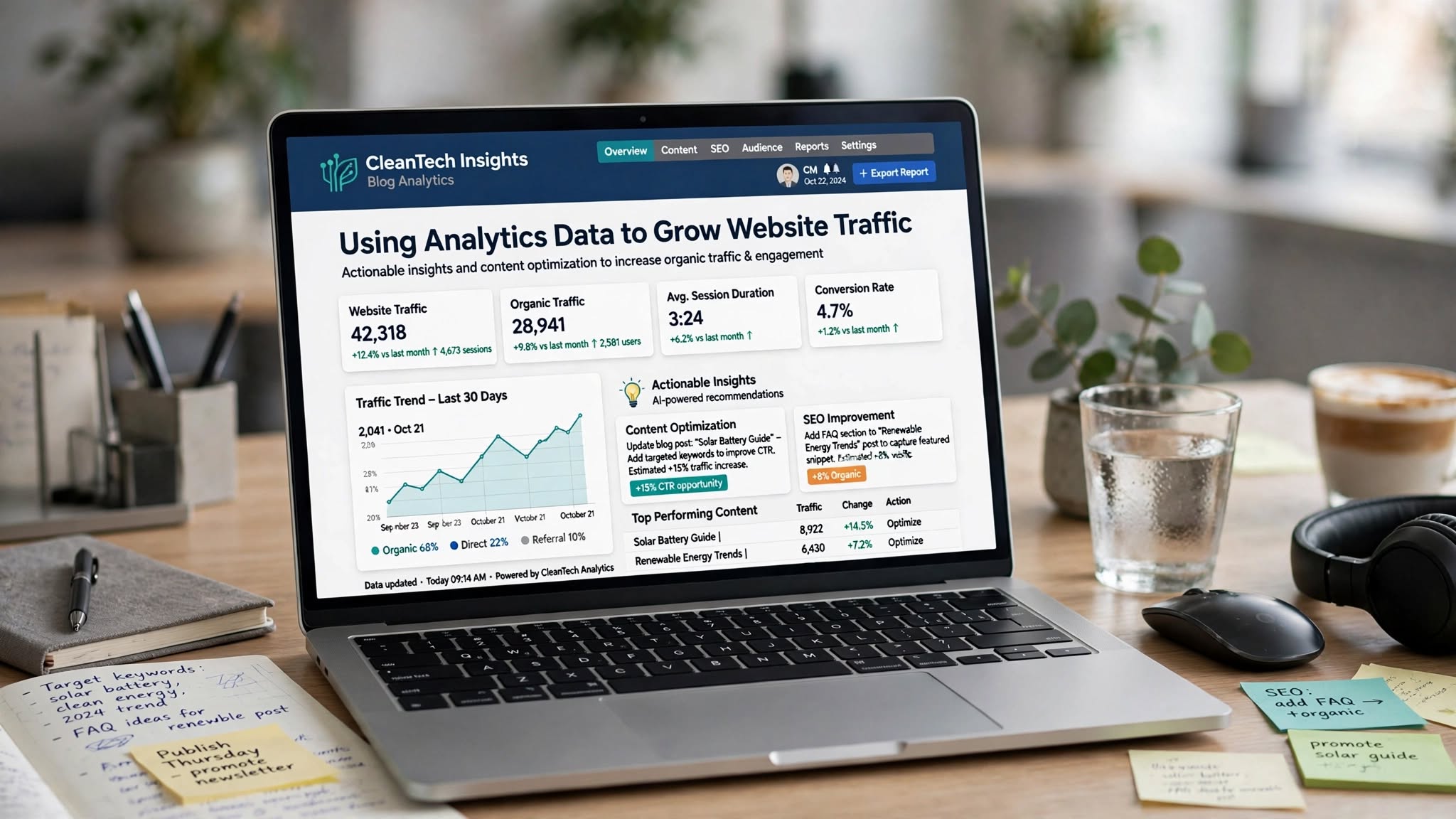
Don't check data daily - Weekly 30 minutes enough - Here is exact routine I use for ThemeZone.co clients 0-50K traffic to grow 20% per month.
Monthly Deep Dive - Last Day of Month 1 Hour: 1) Performance Last 28 days Compare previous period Growth clicks impressions? Which pages grew most? Double down create similar content. Which pages dropped? Update those pages. 2) Traffic Acquisition Organic Search share growing? Aim 60%+ for content sites. 3) Links Internal Top linked pages Are important money pages in top 10? If not add 10+ internal links. 4) Export data Performance Export Google Sheets Keep backup track growth. 5) Search Console to GA4 link check Linked status - Data in GA4 Reports Search Console Queries and Google organic search traffic - One dashboard.
| # | Report | Where to Find | Filter to Use | Action to Grow Traffic | Expected Result - Timeline |
|---|---|---|---|---|---|
| 1 | Low hanging position 8-20 | Search Console Performance Queries | Position 8-20 Impressions descending | Add 5-10 internal links from high authority pages homepage blog top 3 traffic pages anchor exact keyword improve content 300+ words add FAQ update date request indexing | Position 8 to 4 in 2 weeks +50% clicks - Fastest win |
| 2 | Low CTR under 2% | Search Console Performance Queries | CTR under 2% Impressions over 100 | Rewrite title 50-60 chars keyword + number + year 2026 + bracket benefit 2026 Guide rewrite description 150-160 chars benefit CTA | CTR 2% to 5% double clicks no position change needed - 7 days |
| 3 | High impression no clicks | Search Console Performance Queries | Impressions over 1000 Clicks 0 | Add FAQ schema Rank Math FAQ block 5 FAQs query as question may get featured snippet People Also Ask improve title to question form | Get FAQ rich result featured snippet clicks +30% - 2 weeks |
| 4 | Pages low position high impression | Search Console Performance Pages | Position over 10 Impressions descending | Improve page add 500 words original content cover related queries add internal links image alt keyword update date request indexing | Position 15 to 6 in 3 weeks +40% clicks |
| 5 | Queries to create new content | Search Console Performance Queries | Impressions over 500 Clicks under 5 no existing page | Create new blog post targeting query 800+ words original title exact query H1 direct answer 100 words 7-10 list comparison table FAQ internal links publish request indexing | New post ranks 2-4 weeks captures impressions new traffic source |
| 6 | Top pages to internal link from | GA4 Pages and Screens | Top 10 by Views | Add internal links from top pages to low traffic pages with relevant anchor pass link equity 10+ links per important page | Low traffic pages +20% views via internal link equity - 1 week |
| 7 | High bounce pages over 80% | GA4 Explore Free Form Bounce Rate | Bounce over 80% Views over 100 | Fix intro first 100 words direct answer add Table of Contents Rank Math TOC improve speed WebP TinyPNG LiteSpeed cache add 5-10 internal links | Bounce 80% to 50% engagement up time on page +30% - 7 days |
| 8 | Traffic Acquisition Organic share | GA4 Reports Acquisition Traffic Acquisition | Default Channel Group | If Organic Search under 50% focus SEO create more content improve low hanging low CTR - Aim Organic 60%+ for content sites | Organic share 40% to 60% traffic +25% - 1 month |
| 9 | Landing pages organic | GA4 Reports Acquisition Landing Page filter Organic Search | Session Default Channel Group Organic Search | Optimize landing pages H1 keyword direct answer first 100 words CTA subscribe read more internal links keep user low bounce | Bounce down engagement up conversion +15% - 1 week |
| 10 | Search Appearance FAQ | Search Console Performance Search Appearance | FAQ HowTo | If FAQ clicks low add more FAQs Rank Math FAQ block 5 FAQs per post If no FAQ schema add | FAQ rich results clicks +20% - 2 weeks |
FAQ - Using GA4 and Search Console Data to Grow Traffic
What is low hanging keywords position 8-20 in Search Console and how to fix?
Low hanging keywords position 8-20 means queries where you rank page 1 bottom or page 2 top - You are close to top 5 but not there - People see you but few click because below fold - Fix add 5-10 internal links from high authority pages homepage blog main page top 3 traffic pages anchor exact keyword improve content 300+ words add FAQ section with query as question update date request indexing via URL Inspection - Can move to position 3-5 in 2 weeks - Traffic +50% - Fastest win for beginners - Check weekly Performance Queries Filter Position 8-20 Sort Impressions High to Low Top 5 queries fix - I moved 15 queries from position 12 to 4 with internal links only for ThemeZone clients no new backlinks needed - Internal links pass equity and tell Google page important.
How to fix low CTR under 2% in Search Console Performance report?
Low CTR under 2% means many people see your result in Google but few click - Title and description not attractive - Fix title 50-60 chars include primary keyword + number + bracket + year + benefit - Example How to Speed Up WordPress Website 7 Steps to Load in 1.3s 2026 Guide - Number 7 increases CTR 15% bracket 2026 Guide increases CTR 10% benefit Load in 1.3s - Description 150-160 chars include benefit keyword CTA Learn how to speed up WordPress from 5s to 1.3s with 7 proven steps including LiteSpeed cache image compression no coding Click to learn - After fix track CTR next 7 days should improve 2% to 5% double clicks no position change needed - Improving CTR from 1% to 2% doubles clicks same impressions same position - Very powerful - Check weekly Filter CTR under 2% Impressions over 100 Top 5 queries rewrite title description.
What is high bounce rate in GA4 and how to fix pages over 80% bounce?
High bounce rate in GA4 means users leave page without engaging - Bounce over 80% means 80% users leave quickly - Often content not matching intent or slow loading or no internal links or poor intro - Fix intro first 100 words direct answer to query - Example query how to speed up wordpress - Intro Your WordPress loads in 5s Here is how to make it 1.3s in 7 steps no coding - Direct answer - Add Table of Contents Rank Math TOC block - Improve speed WebP images TinyPNG ShortPixel LiteSpeed cache - Add 5-10 internal links to related posts keep user - GA4 Explore Free Form Dimensions Page Title Metrics Bounce Rate Filter Bounce over 80% Views over 100 - Shows high bounce pages - Fix top 5 high bounce pages weekly - Bounce 80% to 50% engagement up time on page +30% - 7 days after fix check bounce again.
How to find content ideas from Search Console queries high impressions?
Content ideas from Search Console Queries high impressions low clicks no existing page - Search Console Performance Queries Filter Impressions over 500 Clicks under 5 - Shows queries people search high volume but you have no content or low ranking - Means opportunity - Check if you have page targeting that query - If no create new blog post targeting query 800+ words original - Title exact query - H1 direct answer 100 words - 7-10 list comparison table FAQ internal links - Publish and request indexing via URL Inspection - Ranks 2-4 weeks captures impressions - If you have page but position low 15+ improve that page add 500 words internal links FAQ - This is how I created 15 blogs for ThemeZone - All from Search Console queries not guessing - Data driven content ideas - Weekly check queries high impression no clicks - Create 1 new content per week - Grow traffic 20% per month.
How to link GA4 and Search Console to see data in one place?
Link GA4 and Search Console GA4 Admin Product Links Search Console Links Link Select Search Console property Select Web Stream Submit Should show Linked - Requires Owner permission in Search Console and Editor in GA4 same Google account - If not linked check permissions - Data appears 48 hours after link - GA4 Reports Search Console Queries shows queries clicks impressions CTR position plus Users Engaged Sessions - Google organic search traffic shows landing pages organic traffic plus clicks impressions - One dashboard search queries plus user behavior - Very useful - No historical data before link only future data after link - But very useful going forward - One dashboard instead of two - Link now - Check after 48 hours - If not showing wait 48 hours - Data only after link.
Final Takeaway - 2400 Words - Use GA4 and Search Console Data to Grow Organic Traffic 2026: Having data not enough must use data - Search Console Performance Queries low hanging position 8-20 filter position 8-20 sort impressions high to low add internal links from high authority pages homepage blog top pages anchor exact keyword improve content 300+ words FAQ update date request indexing move to 3-5 in 2 weeks +50% clicks fastest win. Low CTR under 2% filter CTR under 2% impressions over 100 rewrite title 50-60 chars keyword number year 2026 bracket benefit description 150-160 CTA CTR 2% to 5% double clicks no position change 7 days. High impression no clicks 1000+ impressions 0 clicks add FAQ schema Rank Math FAQ block 5 FAQs query as question may get featured snippet. Pages low position high impression improve add 500 words internal links image alt update. Queries to create new content impressions over 500 clicks under 5 no existing page create new post 800+ words original title exact query H1 direct answer list table FAQ internal links publish request indexing ranks 2-4 weeks. GA4 Pages and Screens top 10 pages 80% traffic add internal links from top to low traffic pages relevant anchor +20% views. High bounce over 80% Explore Free Form bounce filter over 80% views over 100 fix intro 100 words direct answer TOC Rank Math speed WebP LiteSpeed internal links bounce 80% to 50%. Traffic Acquisition organic share aim 60%+ for content sites if under 50% focus SEO. Link GA4 Search Console Admin Product Links Search Console Links Link select property web stream submit linked wait 48 hours Reports Search Console Queries Google organic search traffic one dashboard queries plus behavior - Weekly 30 minutes routine 7 steps monthly deep dive 1 hour export data backup - Data driven growth not guessing - 15 reports give content ideas SEO fixes internal link opportunities - Grow traffic 20% per month consistently - Start now.