Featured Snippets: How to Write Answers Google Can Quote
Search "what is a slug in WordPress" and, above the ordinary results, Google often shows a short answer lifted from one page, with that page's link beneath it. That box is a featured snippet. The page it comes from is rarely the longest or the most authoritative. It is the one that answered the question in a form that was easy to lift.
A featured snippet is a highlighted answer Google takes from a web page and shows above the standard results. You cannot mark content as a snippet; Google's systems choose it. You improve your chances by targeting a question your page already ranks for, placing a direct, self-contained answer immediately under a heading that states the question, matching the format people expect (paragraph, list or table), and keeping the rest of the page thorough. The same habits make content easier for AI-generated search summaries to cite.
What a featured snippet is
In a normal search result, the link comes first and a short description follows. A featured snippet reverses that order: the descriptive text appears first, in a box, with the link and page title underneath. Google's documentation describes them as results where the snippet describing a page comes before the link, shown when its systems decide that format helps people find what they are looking for more easily.
Three facts from that documentation shape everything in this guide:
- You cannot nominate a page. There is no markup or setting that makes content a featured snippet. Google's systems determine it automatically.
- The text comes from your visible page content. Not from the meta description, and not from structured data.
- You can opt out. The
nosnippettag blocks all snippets for a page,data-nosnippetexcludes a marked section, andmax-snippetlimits length.
Is a snippet worth having?
Usually, with a caveat. The box is the most prominent position on the page and builds recognition. For questions with a one-line answer, though, some searchers read the box and never click. Snippets are most valuable for queries where the short answer naturally leads to wanting more: how-to steps, comparisons, anything that needs detail.
Advantages
- Top visibility without being the top-ranked link
- Signals a clear, trustworthy answer
- Often used for voice answers
- The writing habits improve the whole page
Limits
- No guarantee; Google decides
- Simple answers may get fewer clicks
- Snippets change hands often
- Not shown for every query
The main snippet formats
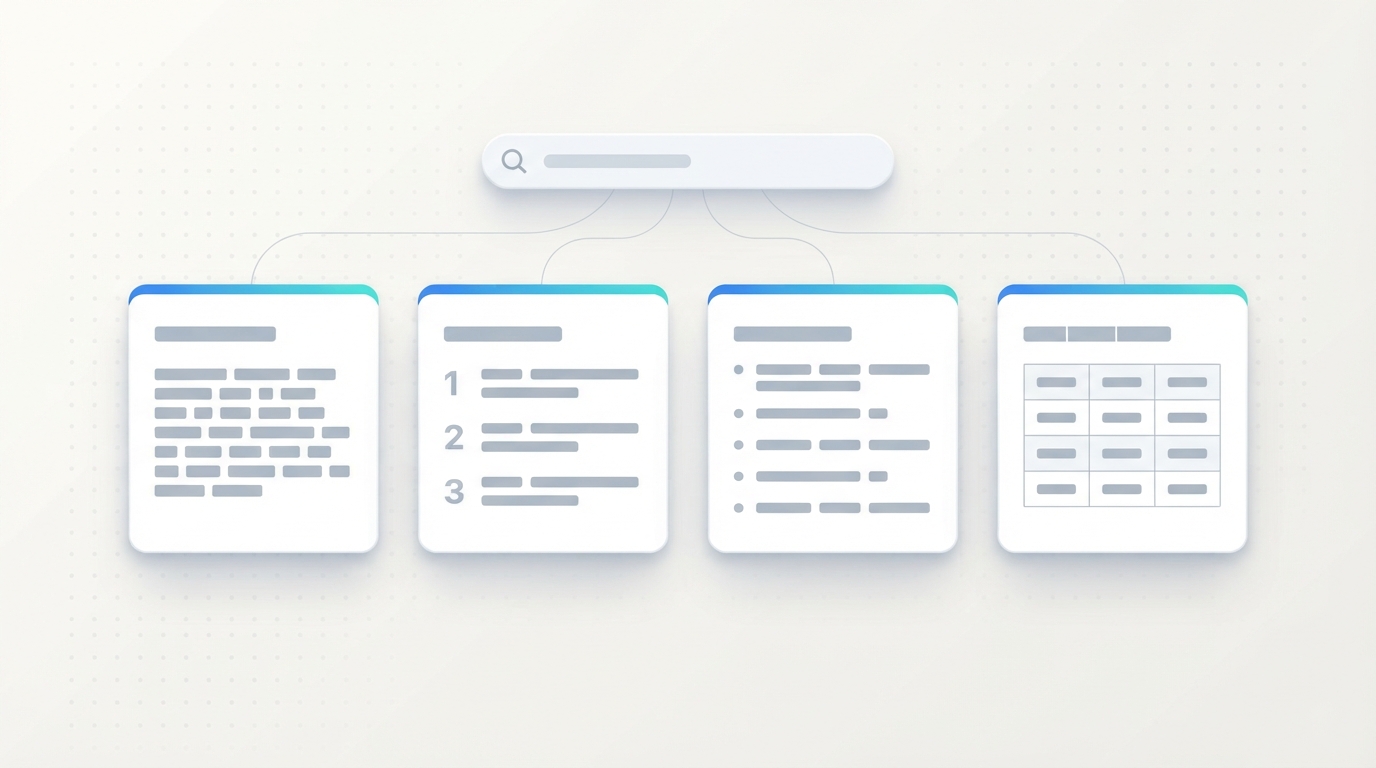
| Format | Typical queries | What Google tends to lift | How to structure your content |
|---|---|---|---|
| Paragraph | "what is", "why does", "who is", definitions | A short block of two or three sentences | A direct answer in one paragraph under a question heading |
| Numbered list | "how to", step-by-step tasks, rankings | The steps in order, often shortened | A real ordered list, or one subheading per step |
| Bulleted list | "types of", "examples of", "best ... for" | The list items | A bulleted list or consistent subheadings |
| Table | Prices, sizes, comparisons, specifications | Rows and columns from an HTML table | A proper <table> with clear column headers |
| Video | Physical or visual how-to tasks | A clip, sometimes with a suggested segment | A well-titled video with clear chapters |
The format is decided by the query, not by you. If the current snippet for your target question is a numbered list, a beautifully written paragraph is unlikely to replace it. Match what is already shown, then do it better.
How to find snippet opportunities
Snippets are almost always taken from pages already on the first page of results. That makes your existing rankings the best place to look.
- Open Search Console's Performance report and enable Average position.
- Filter queries to questions. Use the query filter with a custom regular expression such as
^(what|how|why|when|which|can|does|is)\b. - Keep queries where your average position is roughly 1 to 10. These are within reach.
- Search each one in a private window. Note whether a snippet appears, what format it uses and who holds it.
- Read the current snippet critically. Is it vague, outdated, cut off mid-thought or missing a step? That is your opening.
- Check the "People also ask" box. Each question there is a further candidate for a short answer section on the same page.
If no snippet shows for a query, one may still appear later, and the same answer structure helps the page regardless. Understanding what the searcher wants comes first; see our guide to search intent.
How to write a quotable answer
Think of the answer as a block that must make complete sense when lifted out of your page and shown alone.
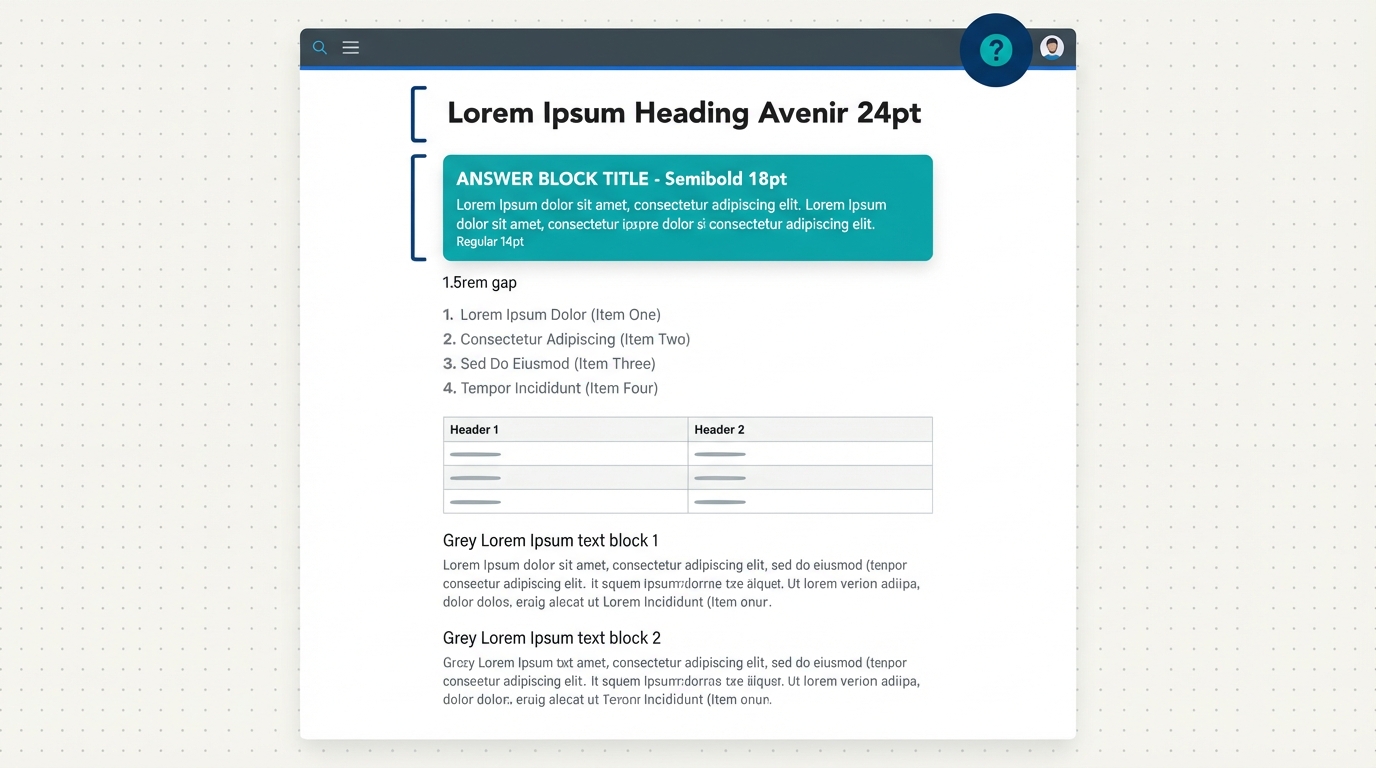
1. Put the question in a heading
Use an H2 or H3 that states the question the way people ask it: "What is a featured snippet?" or "How do you clear the WordPress cache?" This tells readers and search engines exactly what the next paragraph answers.
2. Answer in the very next sentence
No warm-up, no "Great question", no history. Start with the subject and say what it is or what to do. For a definition, the pattern "X is ..." works well.
3. Keep it short and self-contained
Aim for roughly 40 to 60 words for a paragraph answer. That range is a working guideline widely used by SEO practitioners based on what typically appears in snippets; it is not a rule published by Google. Avoid opening with "It" or "This", because the reader of the box has not seen your previous paragraph.
4. Use plain, neutral wording
Write the way a reference book would. Leave out "we", "our", brand names and sales language in the answer itself. Promotional text is rarely quoted.
5. Then go deeper
The short answer earns the box. The detail that follows, with examples, steps, caveats and a table, is what earns the ranking that makes the page eligible in the first place. Do not cut the page down to the answer alone.
6. Use real HTML structure
Steps belong in an ordered list, options in a bulleted list, comparisons in a table. Text arranged to look like a list with line breaks and dashes is harder to interpret.
Write the answer first, before the rest of the section. If you cannot answer the heading's question in three sentences, the section is probably covering more than one question and should be split.
Answer box checker
Paste the question you are targeting and the answer you have written. The checker measures it against the guidelines above and builds a prompt you can use with an AI assistant to tighten it.
Answer Box Checker
Rule-based analyser
Runs in your browser using fixed checks: length, opening, overlap with the question and wording. It is not an AI model, does not query Google and cannot predict whether you will win a snippet. Nothing you type is sent anywhere.
Suggested heading
Prompt for an AI assistant
Before and after examples
Example 1: a definition
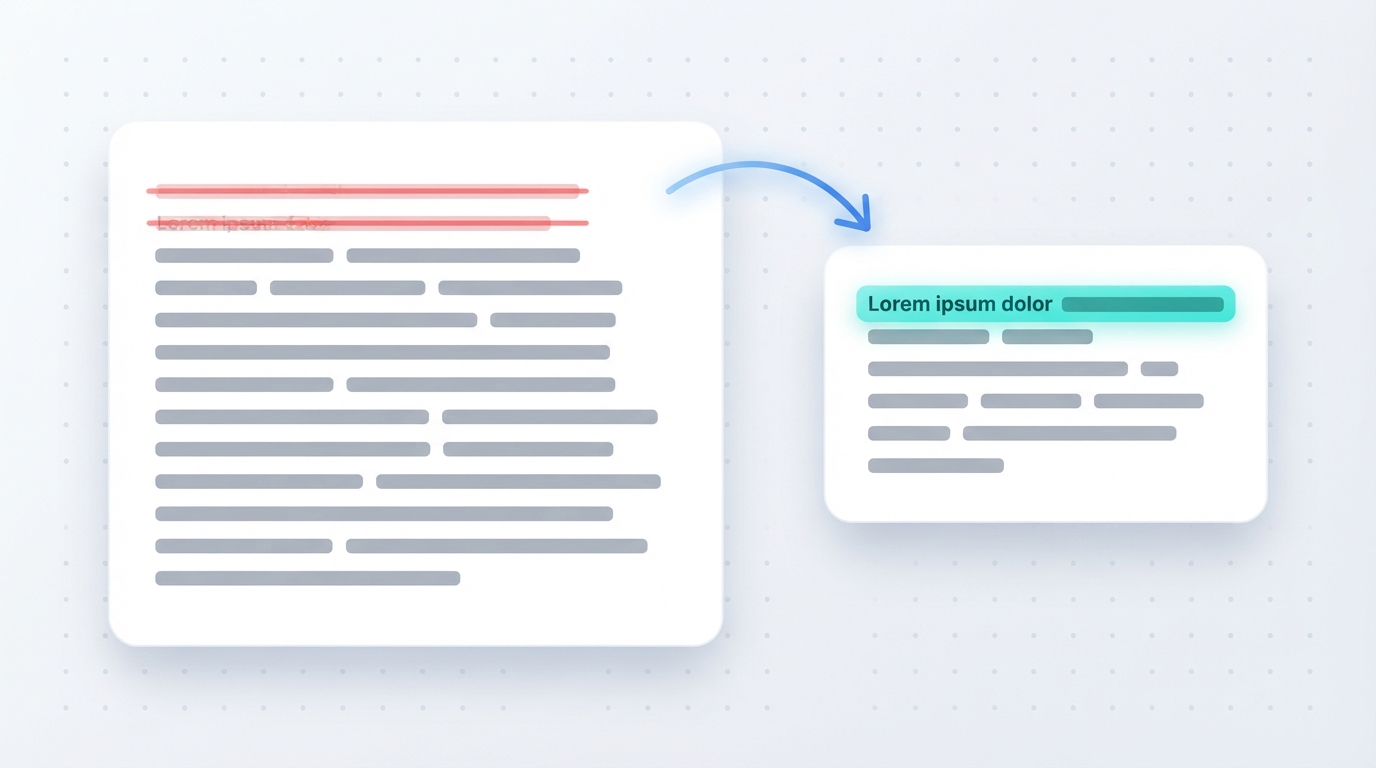
"If you've been using WordPress for a while, you've probably come across the term permalink. It's something a lot of people ask us about, and in this section we're going to explain everything you need to know about it and why it matters for your site."
"A permalink is the permanent web address of a single post or page on a website. In WordPress, it is made up of your domain name plus a slug, and its structure is set under Settings → Permalinks. Because other sites link to it, a permalink should not change after publishing."
The first version takes 46 words to say nothing a searcher can use. The second defines the term in its opening sentence, adds where to find it, and ends with the practical consequence, in about 50 words.
Example 2: a process
For "how to clear the WordPress cache", a paragraph is the wrong shape. A numbered list under the question heading fits the query:
- Log in to your WordPress dashboard.
- Find your caching plugin in the top admin bar.
- Choose "Purge all" or "Clear cache".
- Clear your host's server cache from the hosting panel, if it has one.
- Reload the page in a private window to confirm.
Each step starts with a verb, covers one action and makes sense without the others. Detail about what each cache does belongs below the list, and in a full guide such as WordPress caching explained.
Snippets and AI answers
Search results increasingly include AI-generated summaries that draw on several pages and link to them. Chat assistants with web access do something similar when they answer with sources. Site owners reasonably ask whether these need a separate strategy.
Google's documentation on its AI features in Search says there are no additional requirements to appear in them and no special optimisations needed beyond established SEO practice: pages need to be indexed, eligible to show a snippet, and helpful. That is consistent with what makes content quotable in general.
Direct statements
A sentence that fully answers a question is easy to quote accurately, by a person or a system.
Headings that match questions
They make it obvious which passage answers what.
Something only you have
First-hand tests, data and examples give a summary a reason to cite your page instead of ten similar ones.
Facts that hold up
Errors get repeated with your name attached. Check before publishing.
How much traffic AI summaries send, and to whom, varies by query and is still changing. Be cautious about anyone selling a guaranteed method. The dependable position is the unglamorous one: answer real questions clearly, show evidence, and keep pages accurate. If you draft with AI tools, verify the output; see how to fact-check AI content.
Common mistakes and expert tips
Common mistakes
- Targeting questions you do not rank for. A snippet-shaped answer on a page-three result is rarely chosen. Improve the ranking first.
- Burying the answer under an introduction, a table of contents and an anecdote.
- Writing for the box and nothing else. A 50-word page is thin. The answer needs a thorough page around it.
- Using the wrong format for the query.
- Expecting FAQ markup to do it. Structured data does not create featured snippets; they come from visible content.
- Starting with a pronoun. "It is used to..." means nothing out of context.
- Stuffing the question into every sentence. State it once in the heading and answer naturally.
Expert tips
- Answer several related questions on one page. Add a short Q&A section using the "People also ask" questions, each with its own heading.
- Refresh the answer when facts change. Outdated snippets are replaced. See how to update old blog posts.
- Track by query. Note the date you rewrote an answer and watch that query's clicks and position in Search Console over the following weeks.
- Define terms where you first use them. A one-sentence definition inside a longer guide can be lifted for a "what is" query you were not even targeting.
Snippet checklist
FAQ
You cannot request one. Rank on the first page for a question, put a direct, self-contained answer under a heading that states the question, and use the format the query calls for. Google's systems then decide whether to show it.
For paragraph answers, about 40 to 60 words is a practical target used across the SEO field. Google publishes no official length. For lists, five to eight clear items is a sensible range.
No. Featured snippets are generated from the visible content of the page. Structured data supports other search features but does not create or influence featured snippets directly.
It depends on the query. When a one-line answer fully satisfies the searcher, fewer people click. When the answer invites more detail, such as steps or comparisons, the prominent position usually helps. Judge by your own data in Search Console.
Snippets are re-evaluated continually. Another page may have a clearer or fresher answer, your ranking may have slipped, or Google may have stopped showing a snippet for that query. Check the current result and compare it with your answer.
Yes. The nosnippet robots meta tag blocks snippets for a page, data-nosnippet excludes specific sections and max-snippet limits the length. Blocking snippets can also reduce how your page appears in ordinary results.
Google states that no special optimisation is required beyond normal SEO good practice. Clear answers, sound structure, original information and accuracy help with both.
Conclusion
Featured snippets reward a simple discipline: state the question, answer it at once in words that stand alone, use the right structure, and then give the full explanation. You cannot force Google's choice, but you can make your page the easiest one to quote. Start with three questions you already rank for, rewrite those answers this week, and track what changes.
Official references
- Google Search Central: featured snippets and your website
- Google Search Central: AI features and your website
- Google Search Central: control your snippets in search results
- Search Console Help: Performance report
Next step
Find three questions you rank for, run each answer through the checker and publish the rewrites. Then share what you wrote: our guide to content repurposing turns one article into a week of posts.