
Search for WordPress hosting advice and most of what you find is a ranked list of companies, each with a discount link. Those lists rarely tell you the thing you need to decide first: which type of hosting suits your site. Pick the wrong type and no brand will make it work well.
This guide explains how to choose WordPress hosting without naming winners. It covers the four main hosting types, the features that actually affect a WordPress site, the pricing details that catch people out, and the questions to ask before you pay. The finder below suggests a hosting type from four answers about your site.
01What a host actually provides
A web host rents you space and computing power on a server that is always connected to the internet. For WordPress that means three things working together: a web server to answer requests, PHP to run WordPress, and a database to store your content.
Everything else is service layered on top: backups, security scanning, caching, support, a control panel, email. Two plans can sit on similar hardware and feel completely different because of that service layer. When you compare hosts, you are mostly comparing how much of the maintenance they do for you and how good they are at it.
A new blog or small business site is usually fine on good shared hosting. Shops, membership sites and anything earning real money are better on managed WordPress hosting. A VPS suits people who are comfortable managing a server or who pay for a managed one. Whatever the type, check backups and restores, renewal price, support quality and server location before you buy.
02The four hosting types compared
Shared hosting
Your site lives on a server with many others and shares its processor and memory. It is the cheapest option and the easiest to start with. The weakness is the neighbours: a busy site on the same server can slow yours, and resource limits are lower than the marketing suggests.
Managed WordPress hosting
A service built only for WordPress. The host typically handles server-level caching, automatic backups, core updates, security monitoring and staging sites, and its support team knows WordPress specifically. You pay more, and plans are often limited by visits or number of sites. Some managed hosts also ban certain plugins that conflict with their setup.
VPS and cloud hosting
A virtual private server gives you a reserved portion of a machine with guaranteed resources and full control. Unmanaged plans are inexpensive for the power you get, but you install, secure and update everything yourself. Managed VPS plans add that work back in for a higher price.
Dedicated server
An entire physical machine for one customer. It makes sense for very high traffic or strict compliance needs, and it is more than almost any blog or small business requires.
| Type | Best for | You manage | Relative cost | Main risk |
|---|---|---|---|---|
| Shared | New blogs, small brochure sites | WordPress, plugins, often backups | Lowest | Slowdowns and tight hidden limits |
| Managed WordPress | Shops, business sites, growing blogs | Content and plugins | Medium to high | Visit caps and overage fees |
| VPS / cloud (unmanaged) | Developers, technical owners | Everything, including server security | Low to medium | Misconfiguration and missed updates |
| Dedicated | Very large or regulated sites | Everything, unless managed | Highest | Paying for capacity you do not use |
03Hosting type finder
Answer four questions. The finder suggests the hosting type that fits best, a second option, and what to check before buying.
Hosting Type Finder
A browser-based decision helper built on general rules. It recommends a type of hosting, not a company, and it cannot measure your site.
Best fit
04Eight features worth checking
- Backups and restores. How often are backups taken, how long are they kept, are they stored away from the server, and can you restore one yourself with a click? A backup you need a support ticket and a fee to restore is weaker than it sounds.
- Current PHP versions. WordPress publishes recommended PHP and database versions on its requirements page. The host should offer them and let you switch versions yourself.
- Free SSL certificates. HTTPS should be included and renew automatically.
- Server location. Choose a data centre near most of your visitors. Distance adds delay to every uncached request.
- Staging site. A private copy of your site for testing updates before they go live. Close to essential for a shop.
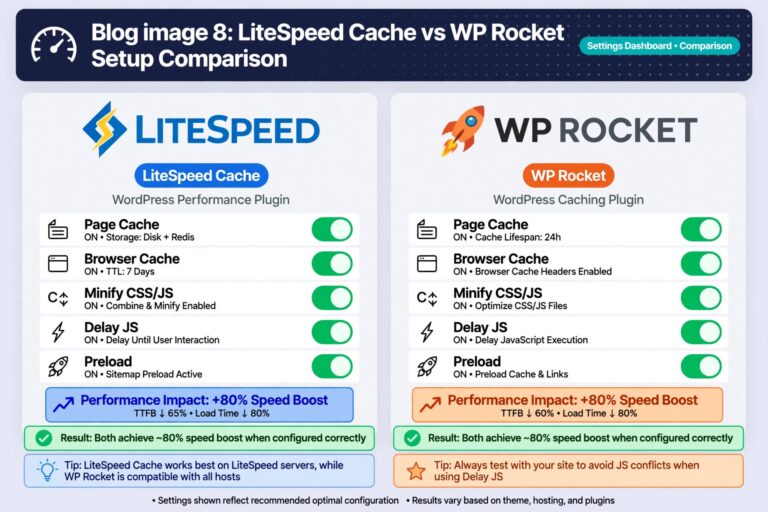
- Caching. Find out whether the host caches at server level and whether it supports a persistent object cache. Our guide to WordPress caching explains why this matters and what to avoid doubling up.
- Support. Which channels, which hours, and do the staff handle WordPress questions or only server faults?
- Security basics. Malware scanning, a firewall, account isolation between sites and two-factor login for your hosting account.
Email is easy to forget. Many managed WordPress hosts do not include mailboxes, so you will need a separate email service. That is often the better setup anyway, since your email keeps working if the website has a problem.

05Reading the price properly
Hosting prices are designed to look smaller than they are. Before comparing two plans, find these five numbers for each:
- Renewal price. The headline figure is often an introductory rate for the first term. The renewal rate can be several times higher and is usually shown in small print or at checkout.
- Term length. The lowest monthly figure often requires paying for two or three years in advance.
- What "unlimited" means. Unlimited storage or bandwidth always comes with an acceptable-use policy. Look for limits on file count (inodes), processor time and database size.
- Visit caps and overages. Managed plans often count visits. Check how they count them and what happens when you go over.
- Extras you will need. Backups, malware removal, staging, extra sites, email and migration are sometimes add-ons.
Add those up over three years. The cheaper plan on the pricing page is often not the cheaper plan in practice.
Register your domain separately from your hosting where you can, or at least confirm you can transfer it out freely. A "free domain" bundled with hosting can make it harder to leave a host you are unhappy with.
06How to evaluate a host in 30 minutes
- Read the plan limits page, not just the comparison table. Search the terms of service for "inode", "CPU" and "fair use".
- Find the renewal price by starting the checkout and reading the order summary.
- Ask support two questions before you buy: "How do I restore yesterday's backup, and does it cost anything?" and "Which PHP versions can I choose?" The speed and clarity of the reply tells you what support will be like later.
- Check the status page. Reputable hosts publish incident history. Frequent long outages are a clear signal; an honest record of occasional short ones is normal.
- Read recent reviews with care. Many hosting reviews are written by affiliates who earn a commission per signup. Give more weight to detailed, specific accounts from long-term customers than to rankings.
- Check the refund window and what it excludes, such as domain fees.
- Test during the refund period. Install WordPress, import a copy of your site, and measure it with PageSpeed Insights. Look at server response time in particular, since that is the part the host controls.
07Signs you have outgrown your host
- The admin area is slow even when the public site, served from cache, feels fine.
- You see "resource limit reached" or 5xx errors during normal traffic.
- Server response time stays high after you have set up caching and optimised images.
- Backups or updates time out.
- Support cannot help beyond restarting things.
Rule out the site itself first. A badly coded plugin or oversized images will be slow on any server. If the problems remain on a clean, cached site, the hosting is the limit.
08Common mistakes and expert tips
Common mistakes
- Choosing on the first-year price alone.
- Buying for traffic you hope to have. Start with what the site needs today on a host that lets you upgrade without moving.
- Taking an unmanaged VPS to save money without the time or skills to keep it patched. An unpatched server is a common route to a compromised site; see what to do if your WordPress site is hacked.
- Relying only on the host's backups. Keep an independent copy somewhere else.
- Leaving the hosting login weak. It controls everything. Protect it with a unique password and two-factor authentication, as covered in our guide to securing your online accounts.
Expert tips
- Plan the exit before you sign up. Know how you would export the site and whether the host charges for migration out.
- Prefer monthly billing while you are testing a new host, then switch to a longer term once you trust it.
- Watch for hosting emails that are not from your host. Fake suspension and renewal notices are common; our guide on how to spot phishing emails shows what to look for.

09FAQs
Is shared hosting good enough for WordPress?
For a new or low-traffic site on a reputable host, yes, especially with page caching enabled. It becomes limiting for shops, logged-in communities and sites with steady high traffic.
Is managed WordPress hosting worth the extra cost?
It is worth it when your time or the site's uptime has real value: the host takes over backups, updates, caching and WordPress-specific support. For a hobby blog the benefit is smaller.
How much traffic can shared hosting handle?
There is no reliable single number, because it depends on the host's limits, your caching and how heavy your pages are. A well-cached static blog handles far more than an uncached shop on the same plan. Watch for the warning signs in section 07 instead of a visitor count.
Does hosting affect SEO?
Indirectly. Hosting influences speed and uptime, which affect user experience and how reliably search engines can crawl the site. A faster host does not make weak content rank.
How hard is it to move a WordPress site to a new host?
Usually manageable. Many hosts offer a migration service or plugin. Take a full backup first, test the copy on the new host before changing DNS, and keep the old account active for a few days afterwards.
10Conclusion
To choose WordPress hosting well, decide the type first, then compare plans on the things that are hard to change later: restorable backups, real limits, renewal price, support and location. Test within the refund window, and keep your domain and an independent backup under your own control so that moving is always possible.
References
- WordPress.org: server requirements
- WordPress documentation: hardening WordPress
- web.dev: Time to First Byte
- PageSpeed Insights
Related guides
Once the site is on the right hosting, set up WordPress caching properly, and keep a recovery plan ready with our hacked-site guide.