
Two people can ask the same AI assistant for help with the same task and get very different results. One receives a generic paragraph that could apply to anyone. The other receives something close to usable. The tool is the same. The difference is the prompt.
This guide explains how to write AI prompts that produce clearer, more useful answers. It works with any chat-based assistant, and you do not need technical knowledge to follow it.
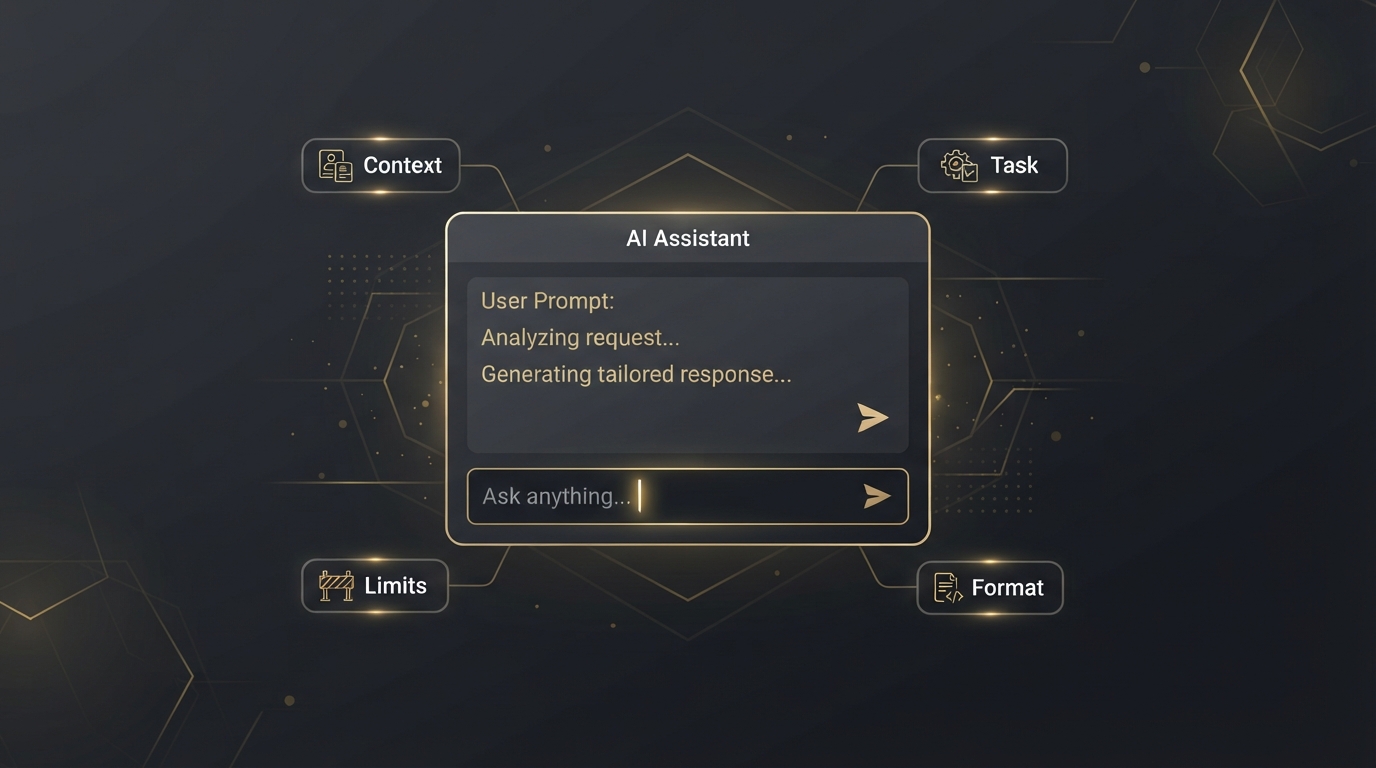
Quick answer: A good prompt tells the assistant four things: who the answer is for, what exactly you want, what limits apply, and what format the answer should take. If the first reply is not right, say what to change instead of starting again.
What Is an AI Prompt?
A prompt is the instruction you type into an AI assistant. It can be a single question or several paragraphs with background information attached.
An assistant has no knowledge of your situation unless you provide it. It does not know your audience, your skill level, the length you need or the tone you prefer. When those details are missing, it fills the gaps with the most average answer available. That is why short prompts so often produce bland results.
The Five Parts of a Strong Prompt
You do not need all five every time. For a simple question, one sentence is fine. For anything you plan to use or publish, working through this list takes a minute and saves several rounds of corrections.
1. Context
Say who you are and who the result is for. "I run a small bakery and I am writing to regular customers" changes the answer far more than any clever wording.
2. Task
State one clear job using a direct verb: write, summarize, compare, explain, rewrite, list. If you have three jobs, ask for them one at a time.
3. Details and limits
Add the facts the assistant cannot guess: length, tone, reading level, things to include and things to avoid. "Under 120 words, friendly but not salesy, no exclamation marks" is far easier to follow than "make it good".
4. Format
Tell it how to lay out the answer: a table, a numbered list, three short paragraphs, an email with a subject line. Otherwise the layout is a guess.
5. An example
If you have a sample of the style you want, paste it in and say "match this style". One example usually communicates more than a long description.
Weak Prompts vs Better Prompts
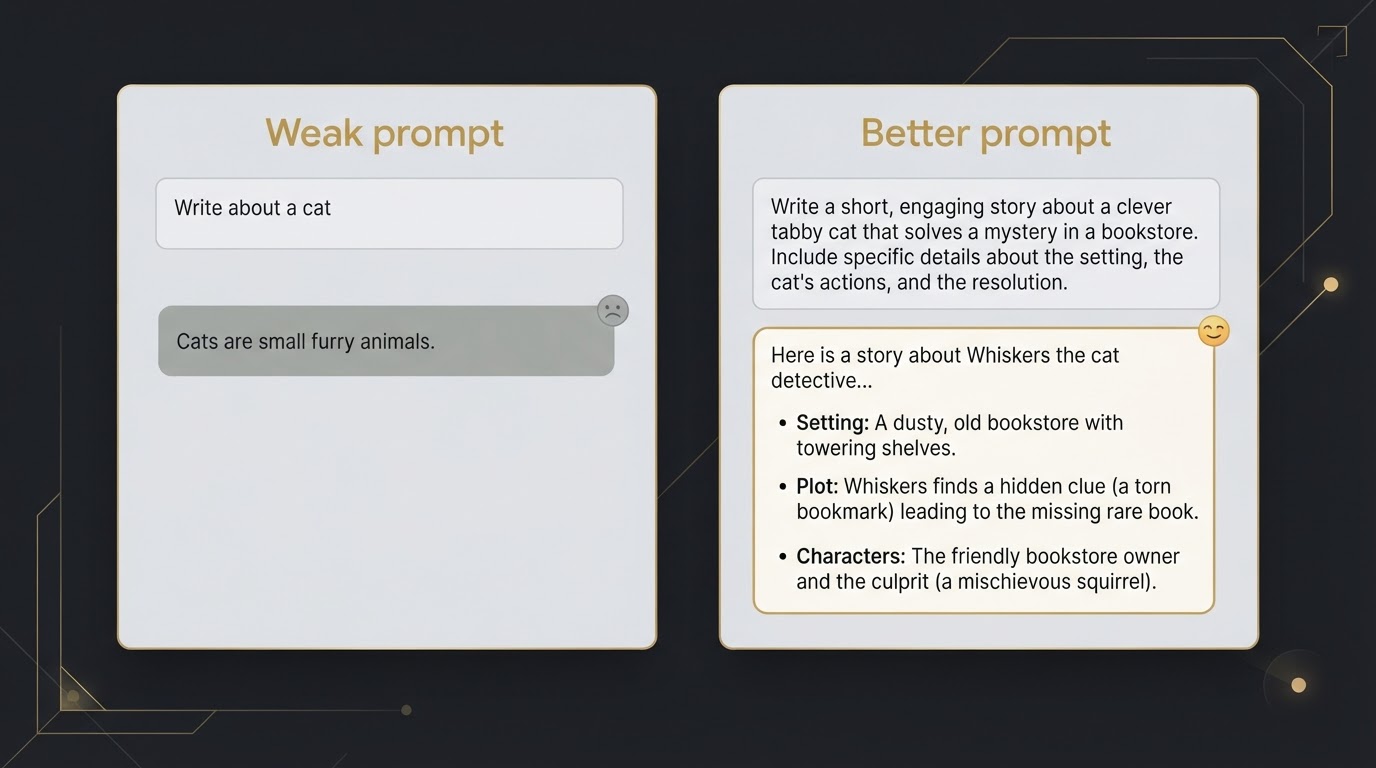
The examples below show the same request written two ways.
| Weak prompt | Better prompt | What changed |
|---|---|---|
| Write a blog post about WordPress. | Write an outline for a 1,200-word blog post that explains to complete beginners how to pick their first WordPress theme. Use H2 and H3 headings and add one line under each describing what it will cover. | Audience, topic, length and format are defined |
| Fix this email. | Rewrite the email below so it is polite and firm. Keep it under 100 words and keep the deadline of Friday. Do not add new promises. | Tone, length and limits are stated |
| Explain SEO. | Explain what on-page SEO means to someone who started a blog last week. Use one everyday comparison and finish with three things they can do today. | Reader level and expected output are clear |
| Summarize this. | Summarize the article below in five bullet points for a busy manager. Put the most important decision first. | Reader and structure are specified |
Improve the Answer with Follow-Up Messages
Many beginners treat each prompt as a single attempt. If the reply is wrong, they delete everything and start over. A chat assistant keeps the earlier messages of the conversation in view, so it is faster to correct it:
- "Shorter. Cut it to half the length."
- "The second point is too technical. Explain it more simply."
- "Keep the structure but make the tone more formal."
- "Give me three alternative versions of the first sentence."
Be specific about what is wrong. "Try again" gives the assistant nothing to work with, while "the opening is too long and the examples are not relevant to restaurants" gives it two clear fixes.
One more useful habit: when a task is complicated, ask the assistant what it needs first. A line such as "Before you write, ask me any questions you need answered" often produces a better result than guessing the details yourself.
Prompt Templates You Can Reuse
Replace the parts in square brackets with your own details.
- Learning a topic: "Explain [topic] to someone who knows [what you already know]. Use one example, then ask me two questions to check I understood."
- Planning content: "I write a blog about [subject] for [audience]. Suggest ten article ideas that answer real questions these readers have. For each one, give a working title and the question it answers."
- Editing your own writing: "Review the text below for clarity and grammar. List the problems first. Do not rewrite it until I ask."
- Comparing options: "Compare [option A] and [option B] for [your situation] in a table with rows for cost, ease of use and limitations. Tell me which facts I should verify on the official websites."
If you use AI to help with articles, our guide on using AI to write blog posts that are original and helpful explains how to keep your own voice and experience in the final text.
Does the Same Prompt Work in Every AI Tool?
The principles in this guide apply to all the main assistants, because they all respond to clear context and instructions. The answers will still differ, since each tool has its own strengths and habits. Our ChatGPT vs Claude vs Gemini comparison looks at those differences, and if you have not picked a tool yet, the list of free AI tools for beginners is a good place to start.
Common Prompting Mistakes
- Being too vague. A five-word prompt gets a generic answer. Add audience, purpose and format.
- Asking for everything at once. Research, outline, draft and edit in a single prompt usually produces a weak version of each. Go step by step.
- Trusting facts without checking. AI assistants can state incorrect information confidently, including names, dates, figures and quotes. Verify anything important against a reliable source.
- Sharing private information. Do not paste passwords, financial details or other people's personal data into a prompt. Check the tool's privacy settings to see how your conversations are used.
- Publishing the output unchanged. Treat the reply as a draft. Add your own examples, correct the details and rewrite the parts that do not sound like you.
Conclusion
Better prompts are not about secret phrases. They come from giving the assistant what a human helper would also need: who the work is for, what you want, the limits and the format. Start with those four points, correct the reply with specific follow-ups, and check the facts before you rely on them. With a little practice, the gap between a first draft and a usable result becomes much smaller.
Frequently Asked Questions
What is a prompt in AI?
A prompt is the instruction or question you type into an AI assistant. It can include background information, examples and formatting requests, and its quality has a large effect on the answer you get.
How long should an AI prompt be?
As long as it needs to be to remove guesswork. A simple question can be one sentence. A task you plan to use or publish usually benefits from a few sentences covering audience, task, limits and format.
Do I need to learn prompt engineering to use AI tools?
No. For everyday use, plain and specific language is enough. Describing your situation clearly and correcting the answer with follow-up messages covers most needs.
Why does the AI give me generic answers?
Usually because the prompt does not say who the answer is for or what format you need. Without those details, the assistant produces a broad, average response. Adding context and limits makes the reply more specific.
Can I reuse the same prompt in ChatGPT, Claude and Gemini?
Yes. A clear prompt works in all of them, although each tool will answer in its own way. It is worth trying an important prompt in more than one assistant and comparing the results.
Is it safe to paste personal information into an AI prompt?
Avoid it. Do not share passwords, financial details or other people's personal data, and review the tool's privacy settings to understand how your conversations are stored and used.
Can AI answers be wrong even with a good prompt?
Yes. A good prompt improves relevance and structure, but assistants can still make factual mistakes. Check important facts, figures and quotes against a reliable source.